Lend your bike.
Invitations, access levels, and how to remove access.
Send a link.
Open sharing.
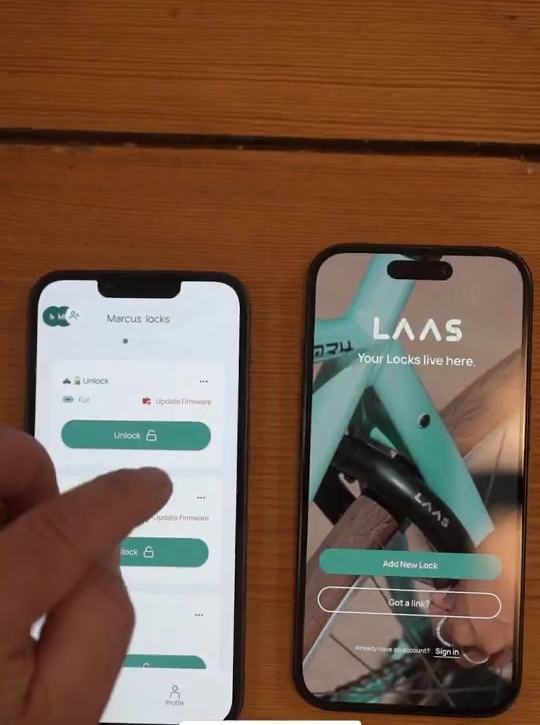
Open your lock’s sharing controls in LAAS.
 Enlarge ↗
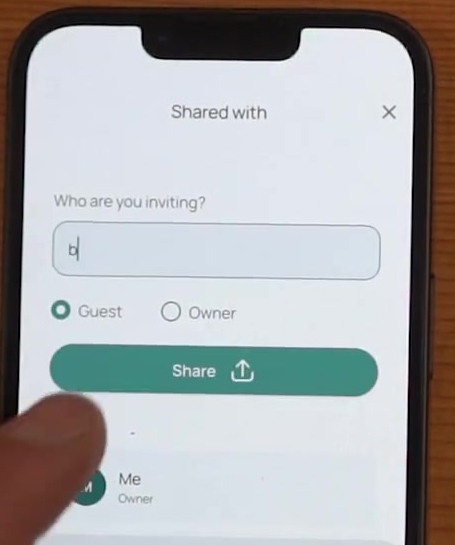
Choose access.
Choose Guest or Owner and add a name or note so you know who the invitation is for.
 Enlarge ↗
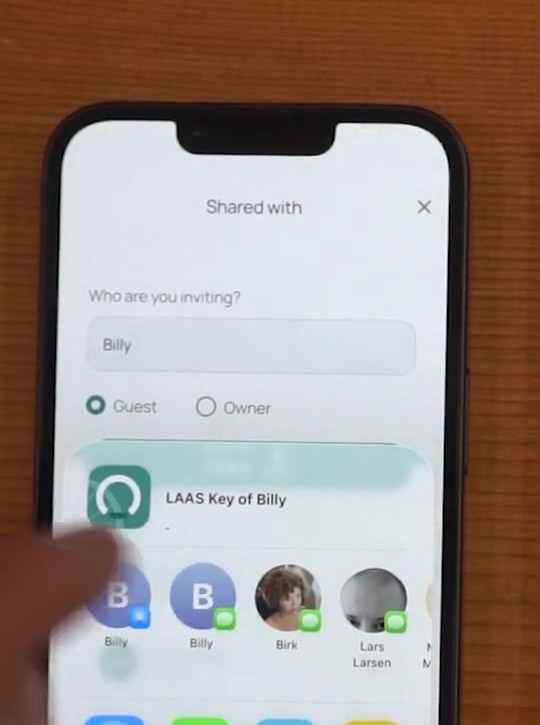
Send the link.
Tap Share and send the invitation in a message.
 Enlarge ↗
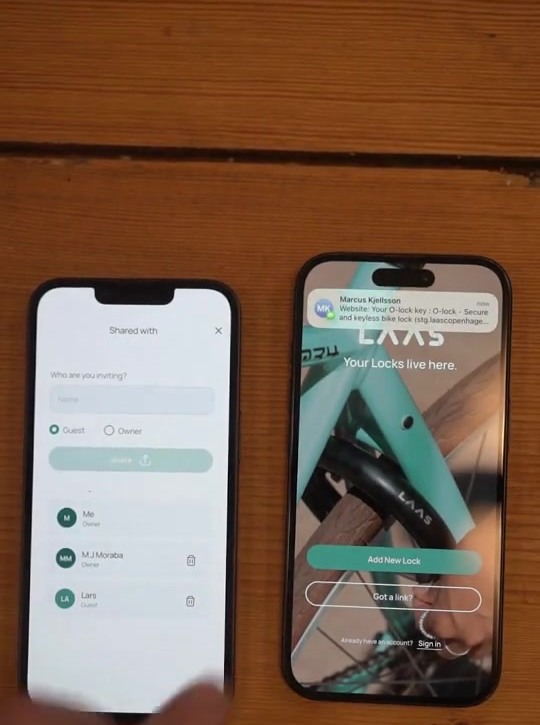
They accept.
They open the link and accept it in LAAS. No account is needed.
 Enlarge ↗
Owner or Guest.
- Guest
- Can unlock the bike.
- Owner
- Can unlock and manage access. All owners are equal, including the ability to remove other owners.
Take it back.
If the link has not been accepted, revoke the invitation. If the person has joined, open the access list, select their name and tap the trash icon.
Removing access does not require getting a physical key back.